Every AI task goes to the cheapest model that can do it well.
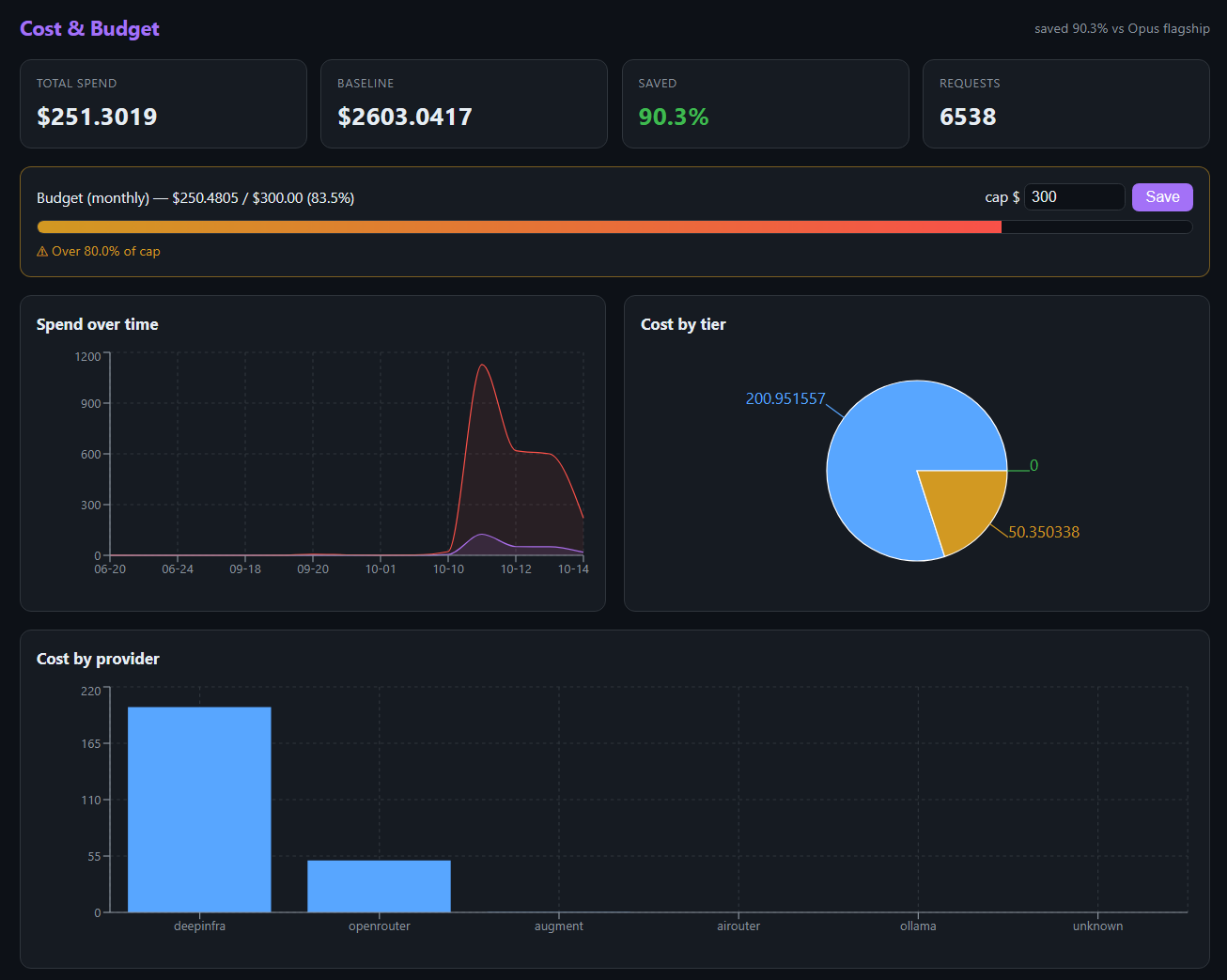
Local first, a strong low-cost model for everyday work, the flagship only when the task needs it. On 6,538 real requests that cost $251 instead of $2,603: 90% less.
Try it below: a working demo with sample data. Nothing you type leaves your browser.
How it works
You use AI the way you already do, from a web app, VS Code, a terminal or Claude Code. Not So Fast AI sits in between and decides, for each request, which model answers it.
- You ask. A question, a code change, a document, or a bigger job (a "mission").
- It sizes the task. The classifier reads your request and puts it in one of 14 task types: summarize, extract, draft, logic, unit tests, multi-file change, architecture and so on.
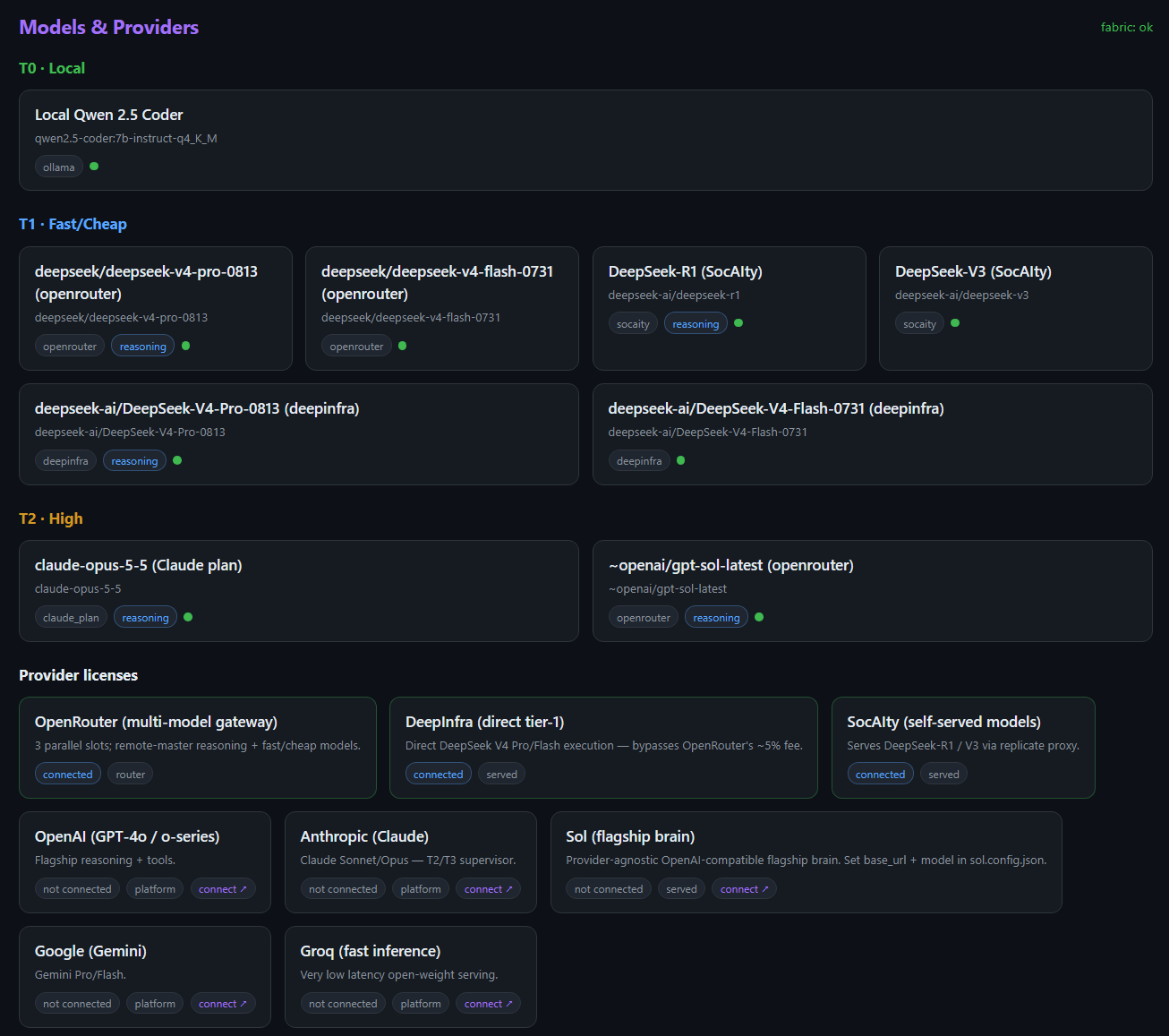
- It picks the cheapest tier that fits. Simple work runs on a free local model; everyday work on DeepSeek V4 Pro; hard work on GPT or Claude; the hardest on Claude Opus.
- It falls back when a provider fails. Out of credit, overloaded or down: the next tier takes over, and the failing one is paused and retried later on its own.
- It checks the result on big jobs. A mission starts with a short spec and acceptance criteria; each part is checked against its criteria before the final answer.
- It shows you the cost. Every request is logged with its tier, model, cost and what it would have cost on the flagship, against a monthly budget you set.
Architecture
One orchestrator on your own machine, your tools in front of it, the models behind it.
Technical details
Routing
- The task type comes from the latest user message; the size estimate counts the whole conversation.
- Tier gates: T0 for simple classes within the local model's context, T1 for everyday classes, T2 for multi-file and design work, T3 for architecture and deep reasoning.
- Tool-calling turns skip the local tier, since the local model can't call tools.
- Out-of-credit or forbidden keys pause the provider for 30 minutes; 5xx errors back off from 30 seconds up to 15 minutes; a degraded provider is retried after 5 minutes.
Missions (spec-driven)
- The lead model writes a spec first: goal, 2–6 numbered acceptance criteria, what is out of scope.
- The work is split into parallel subtasks; each names the criteria it covers; criteria nobody covers are flagged.
- Each answer is checked against its own criteria and sent back once for repair if one is unmet.
- The spec is saved with the mission, so a follow-up starts from it.
Safety and keys
- Runs on your own machine; you log in, members only see their own work.
- Provider keys are tested once and stored in the licence pool, never logged or returned.
- File and shell tools work only inside the workspace you bind, and only for the owner.
- Online access goes through Cloudflare Access: only the allowed email can reach it.
Results on real work
From the request ledger of one developer's own use, 18 September to 14 October 2026.
The baseline prices the same requests at Claude Opus API rates. Most requests ran on DeepSeek V4 Pro through DeepInfra at about $0.03 each.
Pick a bundle for your budget
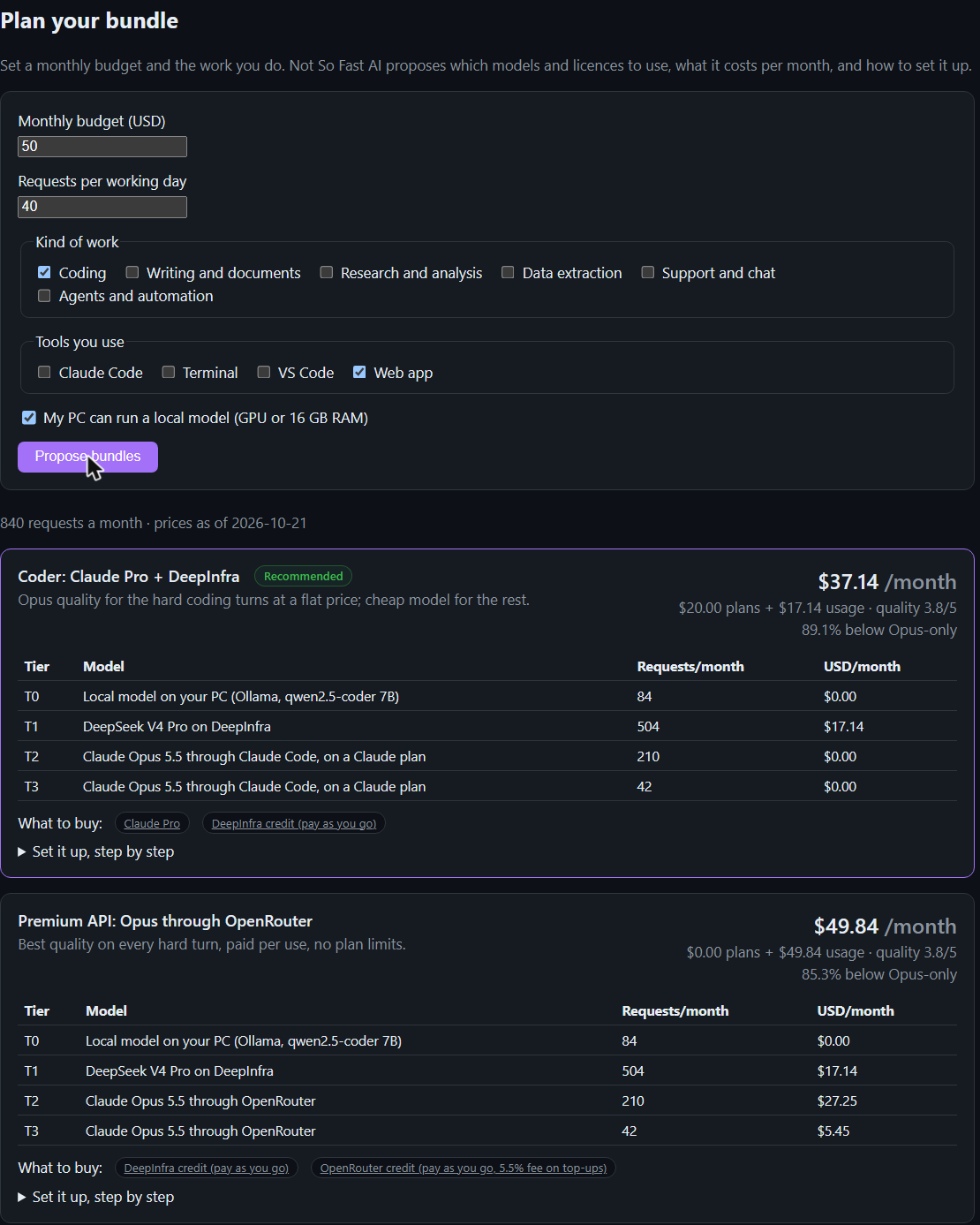
Tell Not So Fast AI your monthly budget and the work you do. It proposes which models and licences to use, the monthly cost per tier, and how to set it up. Three examples:
Prices checked 21 October 2026. Per-request costs are averages from the ledger above; Claude plan allowances are planning assumptions.
Getting started
- Choose a bundle in Plan your bundle.
- Create the accounts it lists (DeepInfra, OpenRouter, a Claude plan) and connect each key in Connect a license, with a monthly budget.
- Optional: install Ollama for the free local tier.
- Install the VS Code extension or the CLI, or just use the web app.
- Watch tier, model and cost per request in Monitor and Cost & Budget.